Our Location
5th Floor, Huake Center, Lanshan District, Linyi City, Shandong Province, China

5th Floor, Huake Center, Lanshan District, Linyi City, Shandong Province, China
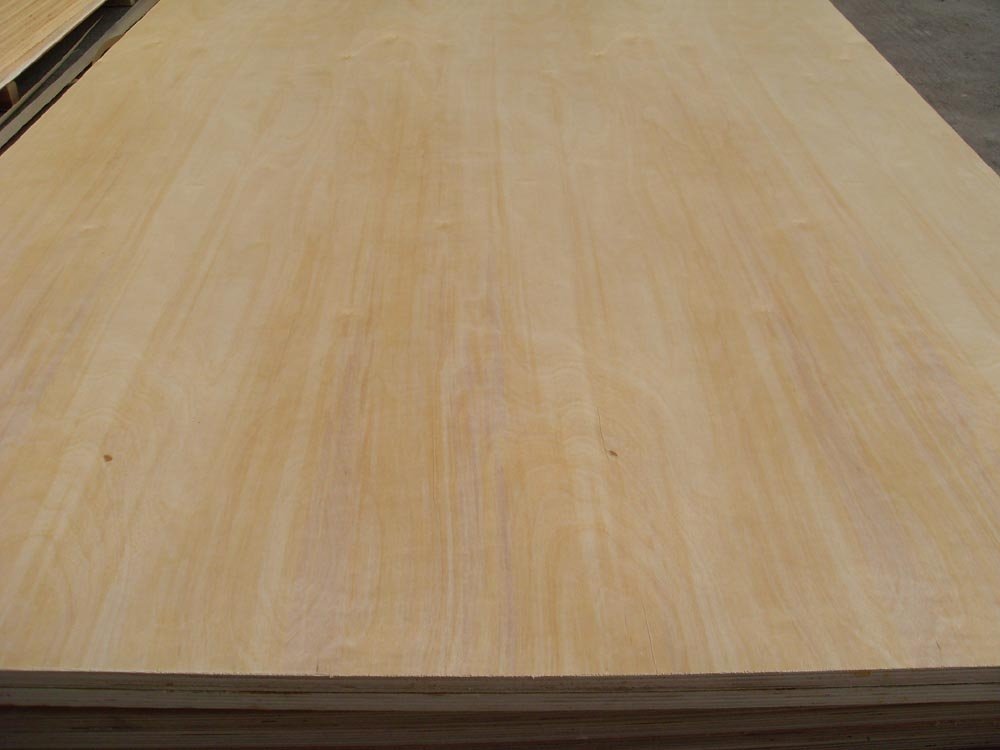
A custom laser cut plywood service takes a drawing and returns finished parts with edges that no saw matches. Makers, furniture shops, sign writers, and industrial buyers use the service to cut intricate shapes, repeat patterns, and precise joinery from one sheet. This guide explains what the service does, which sheet grades laser well, how kerf and tolerance shape the design, and the order details that keep the parts on spec and on budget.
The laser burns a narrow line through the sheet. A focused beam follows the vector path, vaporizes the wood on that line, and parts the shape with a clean, sealed edge.
Definition: a custom laser cut plywood service is a shop that takes a customer file, sets the sheet and the laser, and returns cut parts to the drawing, with edge quality and tolerance that a hand saw cannot repeat.
The service suits detail work. Joints, inlays, letters, model parts, and repeat panels cut from one file many times, and each part matches the last one across the whole batch.
Batch pricing rewards volume. One sheet of parts costs less per piece than a single part, so a buyer who orders a full run cuts the unit cost and the lead time together.
The edge finishes itself. The beam seals the cut face as it passes, so the char stays clean, and a light rub or a seal coat readies the edge for paint or glue.
The service also cuts repeats. A sign writer who needs forty identical letters and a model maker who needs one intricate frame both send the same kind of file, and the machine returns every part to the same line.
Fixtures and jigs suit the run. A shop that builds its own assembly jigs from laser-cut parts keeps the fixture square at a low cost, and a replacement jig arrives from the same file. Templates for the field crew take the same path, and a cut template keeps every mark on the job identical.
The grade drives the cut. A clean, even face burns consistently, while knots and voids change the cut speed and leave a rough edge on the parts.
Thickness sets the speed. A thin sheet cuts fast with a light char, and a thick panel needs more power and more passes, so the laser time follows the panel depth.
| Sheet grade | Laser result | Typical use |
|---|---|---|
| Birch-faced ply | Clean, light char | Models and inlay |
| Film-faced ply | Coating slows burn | Stencil and template |
| MDF board | Even, smoke-heavy sign work | Signs and letters |
| Utility ply | Variable edge | Bulk template parts |
The glue line matters. A bond with low resin smoke cuts cleaner, and a heavy resin line produces more smoke and a darker edge, so the buyer asks about the glue before the run.
Definition: kerf is the width of material the beam removes on each cut, and that narrow line sets how tight a joint fits and how much a part undersizes from the drawing.
MDF cuts with an even edge. The fiber panel has no grain and no plies to splinter, so letters and fine profiles hold a crisp line, and the shop stocks MDF Board for that work.
Char depth follows the speed. A fast pass leaves a pale edge and a shallow mark, and a slow pass burns deeper, so the finish plan and the cut setting agree before the batch.
Warp across the sheet changes the focus. A panel that sits bowed lifts away from the beam in places, and the service flattens the sheet on the bed so every part takes the same cut. Grain direction affects the edge as well; a cut along the grain burns slightly cleaner than a cut across it.
The file decides the quality. A closed vector path cuts in one pass, and a stray open line or a doubled segment sends the beam back over a line and chars the edge twice.
Tolerance follows thickness and material. A thin, flat sheet holds a tight line, while a thick or bowed panel varies across the sheet, so the drawing should carry the tolerance the part really needs.
Kerf compensation keeps the fit. The designer adds half the kerf to a joint line, and the mating part meets with the fit the drawing promised instead of a loose gap.
Small features need room. A slot narrower than the kerf burns closed, and a tab too thin snaps, so the file respects the minimum feature size the service publishes.
Text and detail need clean paths. Converted outlines cut as shapes, and raw fonts or stray points stop the machine mid-run, so the file check saves a reprint.
The file check should happen twice. Once before the quote, when a stray line still costs nothing to fix, and once after the nesting, when the layout can reveal a part that runs off the sheet.
Thickness picks the setting. The service matches the power and the speed to the sheet depth, and a consistent sheet thickness keeps the cut the same from the first part to the last.
The char marks the edge. A light pass leaves a tan line, and a slow pass darkens the face, so the buyer sets the edge look on a sample before the batch runs.
Smoke control protects the face. Extraction pulls the resin smoke away from the sheet, and masking tape on the face keeps the haze off a part that ships raw.
Glue lines char harder. The glue between plies burns at a different rate than the veneer, so a cut across the grain shows a slight step at each ply, and the finish plan covers it.
Sand and seal the parts. A light rub removes the loose char, and a coat of oil, wax, or paint locks the edge and takes the part from the machine to the shelf.
Smoke management protects a pale face. A clean sheet with light char ships ready for a clear finish, and a shop that masks the face keeps the haze off a part that never takes paint.
Test cuts run on the same sheet. The service cuts a small pattern from the offcut area, and the buyer checks the kerf and the char on the material the real parts will use. The sample then travels with the batch as the reference.
The quote follows the sheet and the cut length. More cut line on one sheet raises the laser time, so nesting the parts close and cutting one sheet at a time lowers the price.
Pack the file with the order. A clean vector file, the sheet grade, the thickness, the quantity, and the finish note answer every question before the machine starts.
Samples settle the fit. A short first run checks the kerf, the char, and the tolerance, and the full order follows a part the buyer has already measured.
The technical desk at HYY sets the sheet grade and the tolerance with the drawing, so the cut parts arrive matched to the assembly that waits for them.
Bulk parts move on the same standard sheet. A workshop that cuts brackets, templates, and covers from one grade keeps the material line simple, and utility panels take the hidden parts well.
A second product covers the visible work. Buyers who pair the cut parts with a coated panel for the case around them order Commercial Plywood for the structure so the batch ships complete.
Packaging the parts protects the edge. A wrap over the char and a stiff carton keep the batch clean in transit, and the parts arrive ready for the assembly line.
These answers cover the questions that buyers ask before they send the first file.
A flat sheet holds a tight line, and thickness and bowing set the real tolerance. The service states its accuracy, and a sample run proves the fit for the part.
A closed vector file cuts best. The path should run in one pass with the kerf set, and raw fonts or open lines stop the machine or char the edge twice.
A light rub removes the loose char, and a coat seals the edge. Buyers who paint or glue the parts add a prep step, and the sealed edge takes the finish well.
For detail and volume, yes. A complex shape costs the same cut time as a straight line, and a batch on one sheet drops the price per part below hand sawing.